Document and reference integrity
Inspect each reference URI, transform chain, digest algorithm, and calculated digest result.
 XML ValidatorBuddy
XML digital signatures
Use XML ValidatorBuddy Desktop or ValBuddy to work with XML signatures and understand failed verification with document, reference, digest, key, and certificate context.
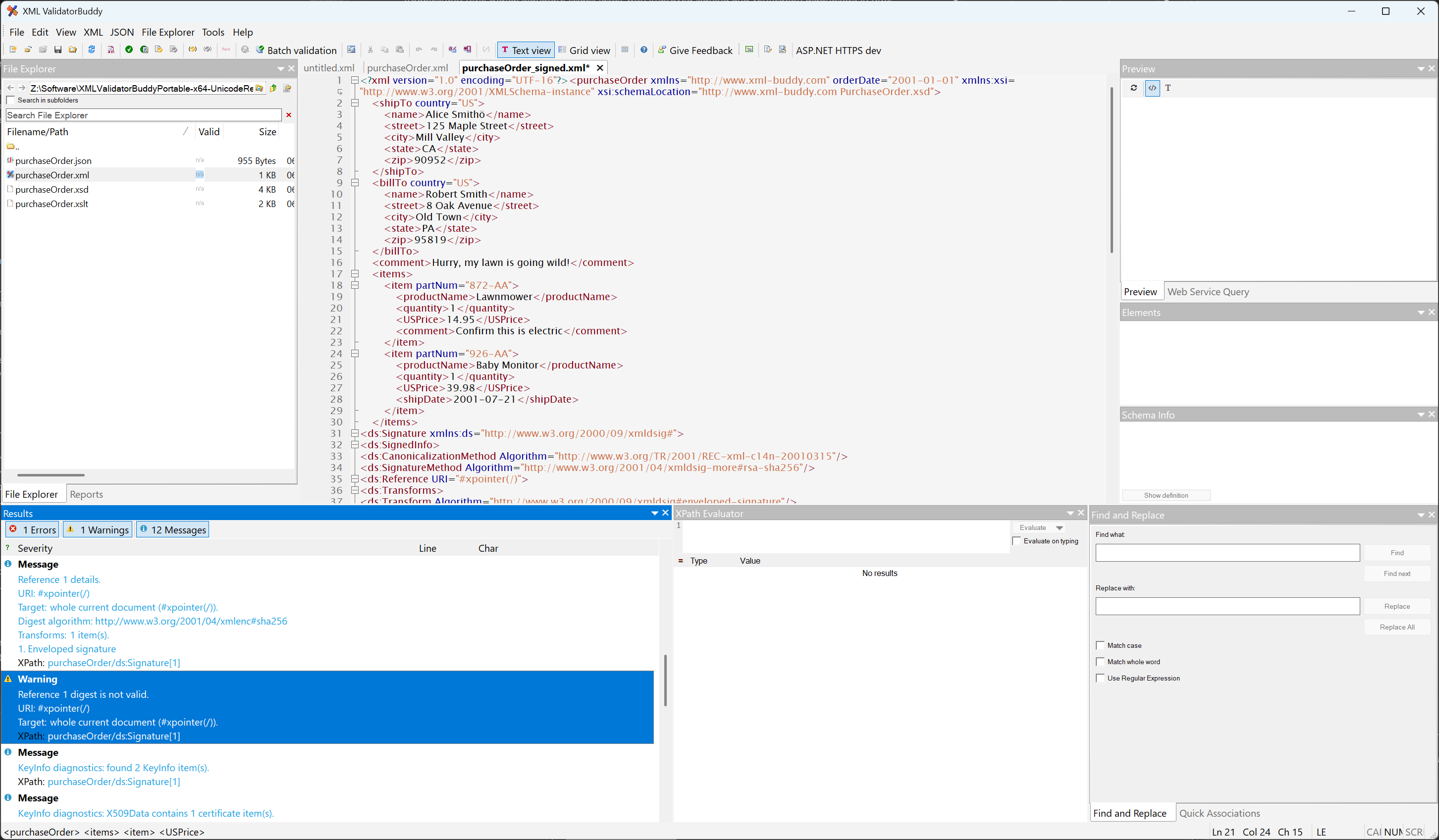
Specialist workflow
Signature verification can fail at several layers. Grouped diagnostics help you determine whether the problem is in a reference, digest, transform, key, certificate, or signature value.
Inspect each reference URI, transform chain, digest algorithm, and calculated digest result.
Review the available KeyInfo material and the certificate or key used by the workflow.
Use interactive diagnostics in XML ValidatorBuddy and repeatable signing or verification through ValBuddy.
Actionable failure detail
Use XML ValidatorBuddy Desktop and ValBuddy on Windows.
Signature diagnostics in automation
ValBuddy can verify XML Digital Signatures with -dsigverify and write expert diagnostics as JSON, XML, or HTML. An agent can use those reports to focus on certificate, key, KeyInfo, reference, transform, digest, or verification findings. Signature capabilities depend on the installed edition.
An agent may still send selected content or diagnostics to its model provider. XML processing may use network access when related resources resolve remote references.
Download and use XML ValidatorBuddy+ as your XML signature tool:
Get complete and affordable support for XML digital signatures and increase the security of your XML documents with the easy-to-use functionality provided by XML ValidatorBuddy+ Edition. Use the same Windows desktop tool to create signatures, verify signed XML documents, inspect failed XMLDSIG operations, and prepare diagnostic details for support or audit workflows.
XML Validator Buddy supports SHA-1, SHA-2 (SHA-256, SHA-384 and SHA-512) hash algorithms, together with RSA and HMAC keys. It is possible to create XML signatures using Windows® certificates, an arbitrary password or loaded from a standard PFX file.
Save time and run sign or verify batch tasks for digital signatures on any number of XML documents using the command line tool which is included in all installations of XML Validator Buddy. Learn more