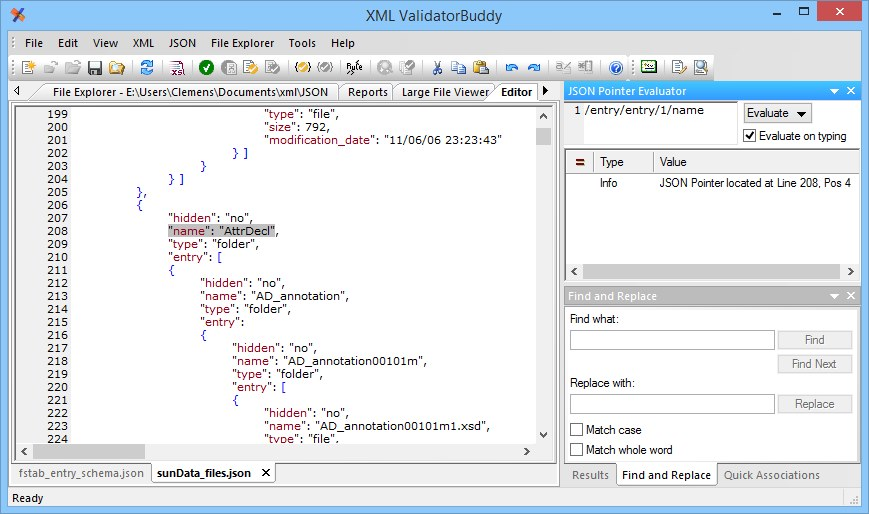
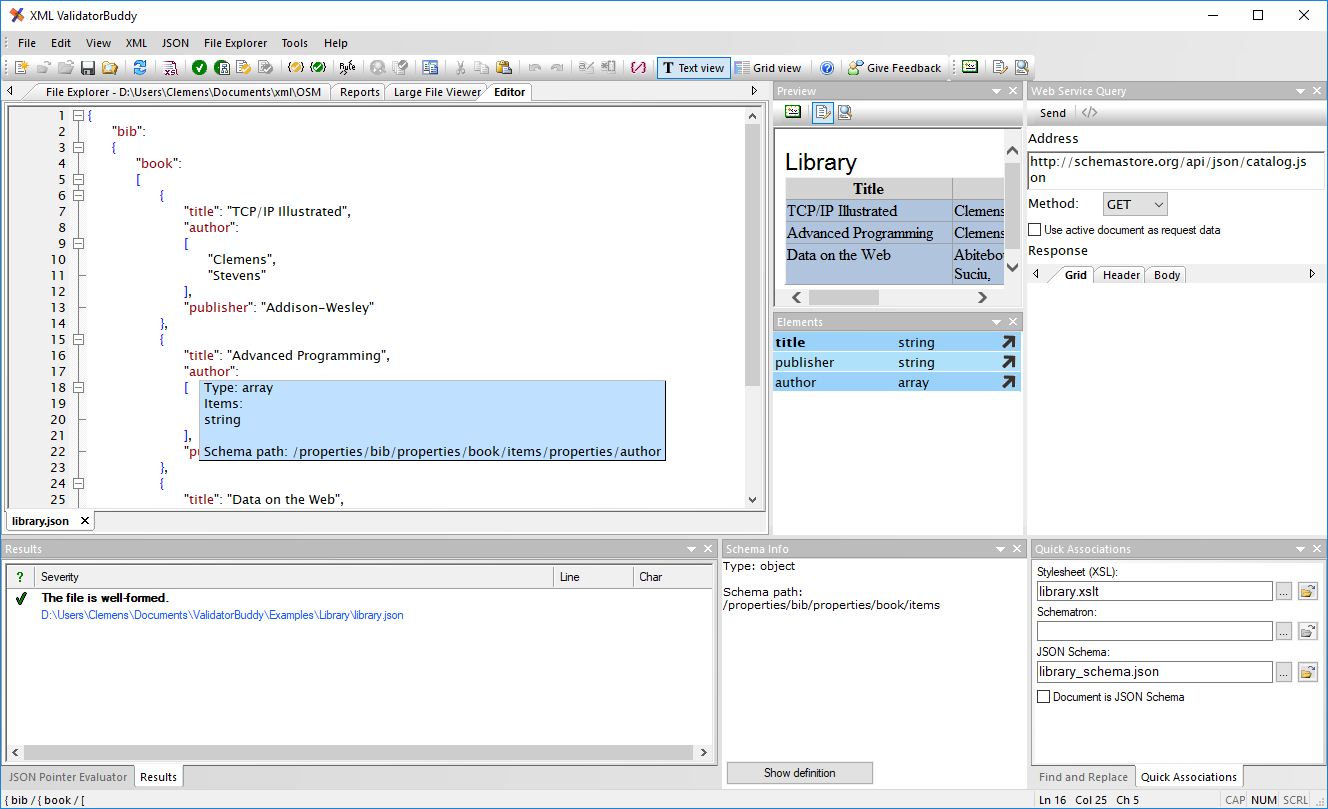
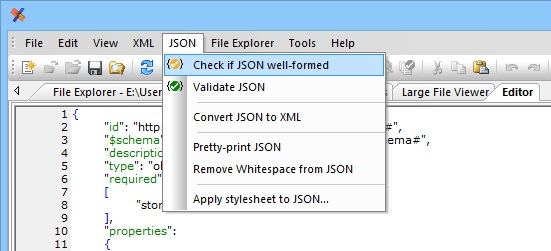
 JSON auto-completion The JSON intelligent auto-completion feature learns which object and value names are used in the currently active JSON document. On starting a new name with a leading " (quote) character, a list of already used names is presented in a standard auto-completion window for quick selection. This saves a lot of time on editing and modifying any JSON document. Validation using JSON Schema Please learn more about JSON validation here: JSON Schema editor JSON well-formed checking To make sure that the current JSON content of the active document follows the JSON syntax, you can use the "Check if JSON well-formed" command from the JSON menu at any time.
  As an example we take the following malformed JSON: { "root": { "span": [ { "style": "font" }, 1, ] }
} And we get the following message in the standard results dialog of the editor:
As an example we take the following malformed JSON: { "root": { "span": [ { "style": "font" }, 1, ] }
} And we get the following message in the standard results dialog of the editor: 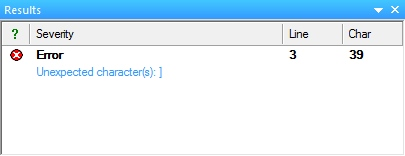 Hint: To check multiple JSON documents at once just select them in the File Explorer window of XML ValidatorBuddy and use the "Check if JSON well-formed" command from the JSON menu or use the toolbar button. JSON pretty-print Use the "Pretty-print JSON" command from the JSON menu to convert any JSON input into a more readable layout. This can help a lot on editing a JSON document and avoids adding errors to the content. Because only well-formed JSON can be pretty-printed, this command will also detect syntax errors in the document. Remove whitespace from JSON Any well-formed JSON can be converted to a compact format to reduce the amount of characters which is used to save the document. The resulting JSON will be printed as a single line without any line-breaks. JSON Pointer evaluator Use the built-in JSON Pointer evaluator to quickly test and create valid JSON pointer expressions for your JSON document. If the pointer evaluates to a location in the current document the editor will select the corresponding line: