
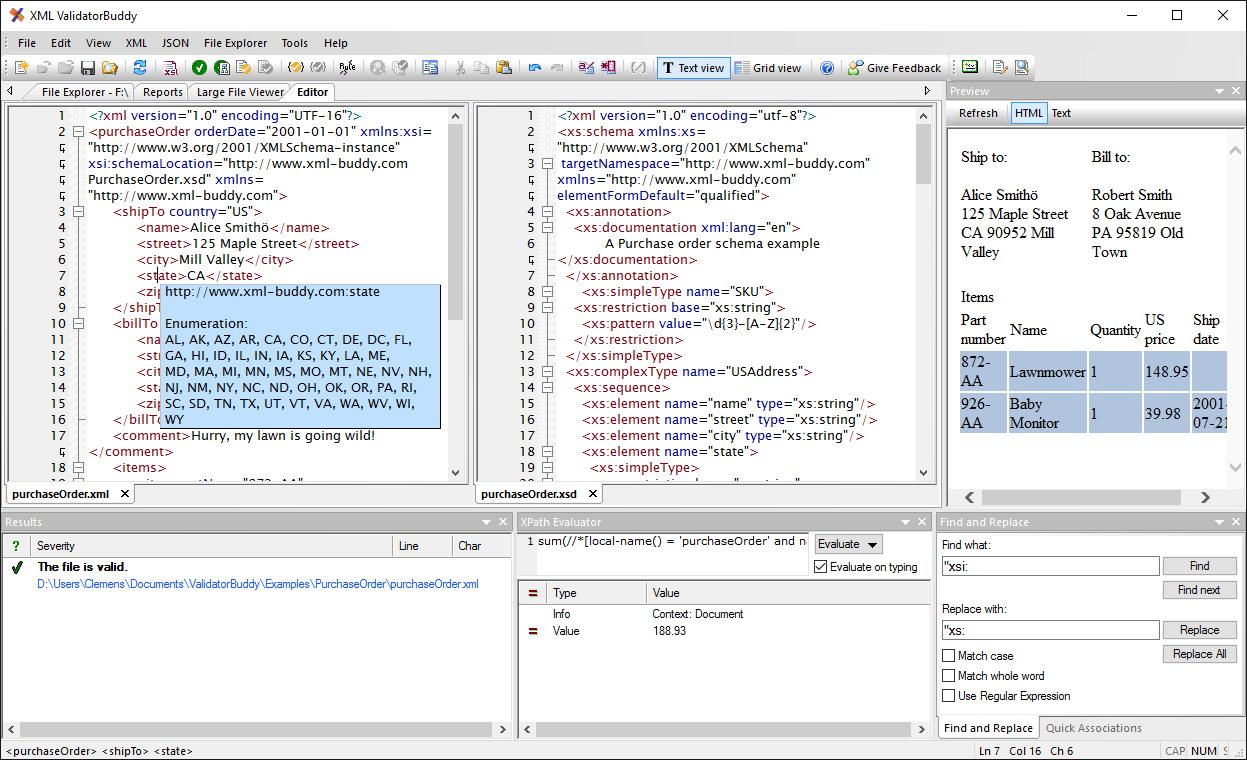
 Element folding
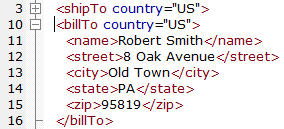
Use the plus and minus signs to expand and collapse XML elements. This helps to increase the readability of XML data and to focus on the currently important sections of text. The following standard keyboard shortcuts are also available for folding:
|
|
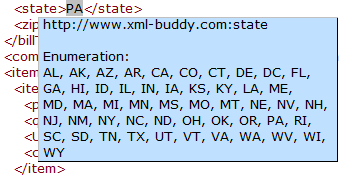
| Providing context-sensitive information from the schema helps a lot on creating XML content. On moving the mouse over an element name, the XML editor shows after a short time all of the information from the assigned schema it can find. The pop-up window shows annotations, simple type, enumerations, patterns and namespaces. Use the "Reload entry-helpers from schema" command from the editor context-menu to update the information if the schema has changed in the meantime. |
|
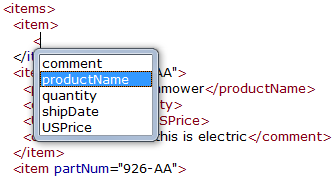
| Context-sensitive entry-helper windows with schema information are available in the editor for the following situations: Element names After typing "<" in the editor a list with all possible element names will appear if an element can be added at the current position. Attribute names An entry-helper window with attribute names is shown on typing a blank " " inside the starting tag of an XML element. Element and attribute value enumerations A list of enumeration values from the schema is displayed on starting to edit the content of an element after typing ">" or after adding an attribute. |
|