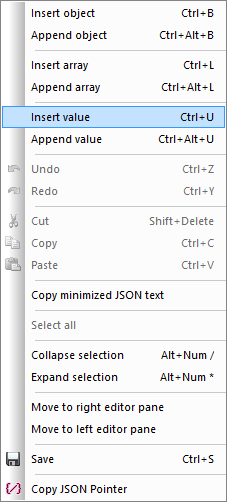
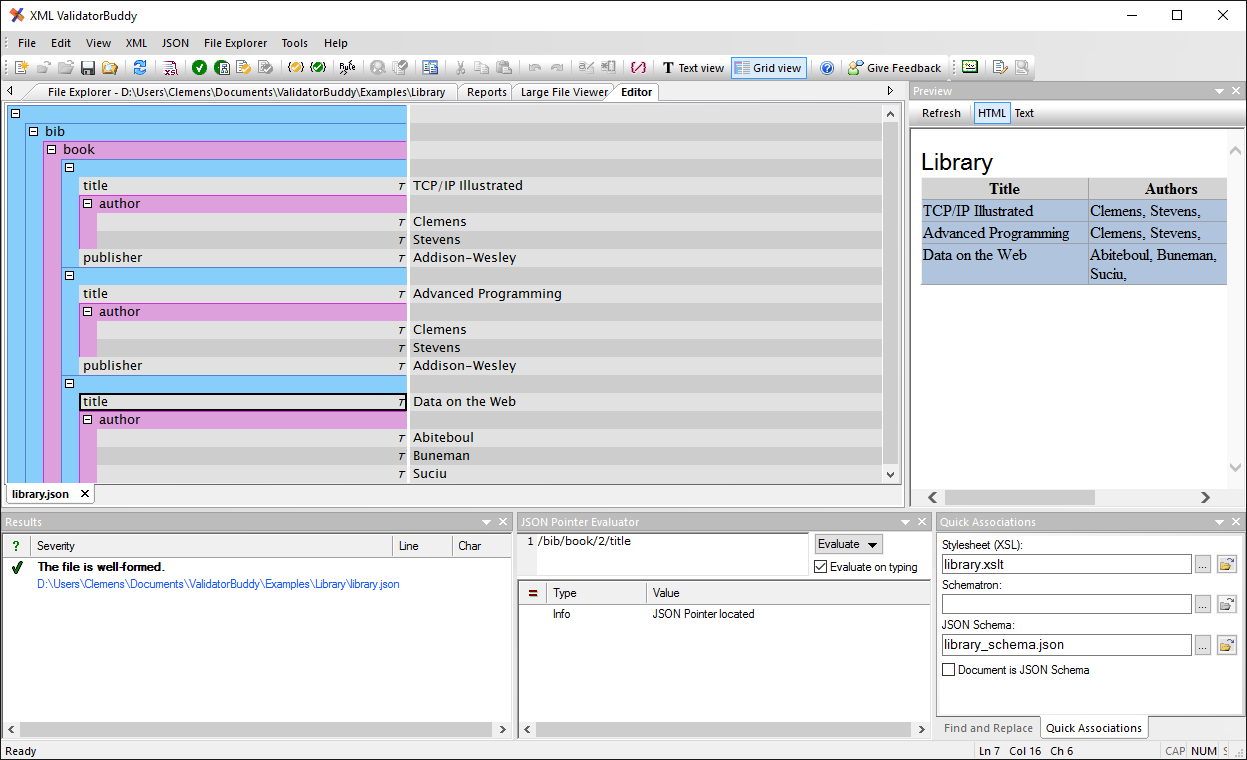
 Expand and collapse objects and arrays The plus and minus signs in the left corner of any JSON object or array allows to collapse and expand any element. The collapsed status of any child object will be remembered. On expanding any parent element all children will be displayed according to their previous state. Please use the "Collapse selection" command from the context menu to collapse the current selection and all children. Use the "Expand selection" command to expand all of the current selection. Setting and moving the selection A single click using the left mouse button selects any element in the grid editor. You can then move the current selection with the keyboard arrow keys (up, down). Please take a look at the samples below to learn more about the different selection states:
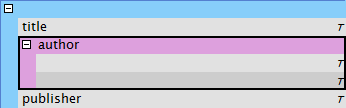
| In this case the complete "author" array is selected. Any copy/paste operation would affect the whole array. Pressing Delete would also remove the complete array from the grid view. |
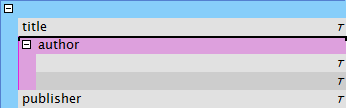
| This selection points to the upper insertion location of the "author" array. A paste operation would insert any content right before the "author" array. |
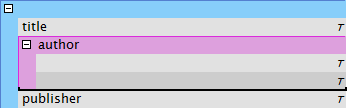
| In this case the lower insertion point is selected. A paste operation would insert any content right after the "author" array. |
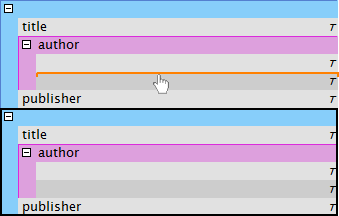
| The drag and drop position is shown in orange and follows the same style as the selection insertion points from above. |
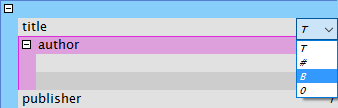
| A single click at the existing symbol will show the selection field. |