
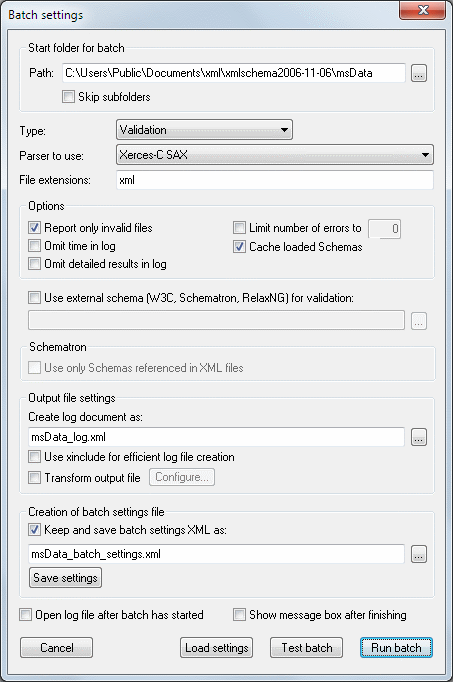
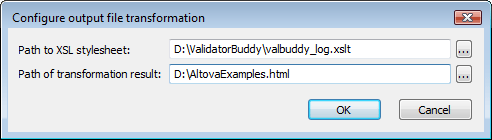
 Just check the "Transform output file" check-box and use the Configure... button to set the XSL stylesheet to use and the path to the output document of the transformation in the dialog:
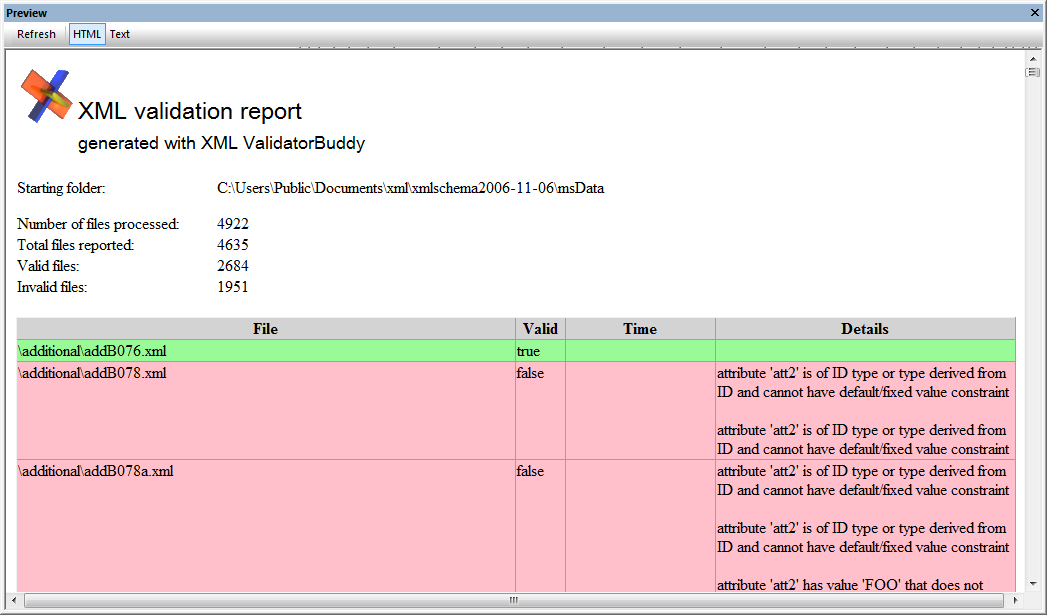
  XML ValidatorBuddy already comes with a sample XSL stylesheet which you can apply directly to your own batch result files. This stylesheet with the name valbuddy_log.xslt is written to the installation folder and can be located there. The output HTML is a straight-forward table using a green column background for valid files and a red background for invalid files. Even this rather simple approach makes it a lot easier to distinguish the invalid XML documents from the valid ones:
  Applying a XSL transformation gives you a lot of more options beside generating HTML. Simple text files, another XML, PDF or even a Microsoft Word document can also be the result of the transformation. In addition there are powerful tools available producing XSL stylesheets for you generating the output of your choice without writing a single line of XSL.